Sharing
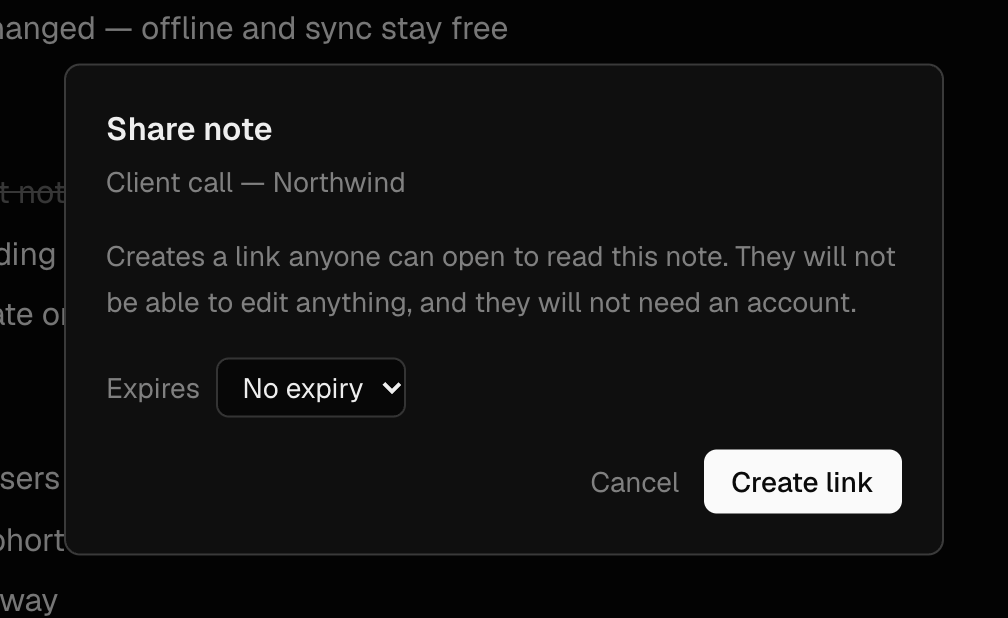
Share a read-only link
Send a note, folder or canvas to anyone — no account needed to read it.
What it is for
Get a note in front of someone who does not use Mnemox without exporting, pasting or attaching anything. They open a link and read it; you can turn it off whenever you like.
How to use it
- Right-click a note or folder → Share…
- Choose how long the link lasts: No expiry, 7 days or 30 days. Press Create link.
- Press Copy and send the link however you like.
- To turn it off, open Share… again and press Stop sharing. It stops working immediately, for everyone.
Examples
Meeting notes for people outside the team
Share the note with a 7-day link after a client call. They read the summary and actions without signing up for anything, and the link expires on its own.
A small handbook
Share a folder of how-to notes. The link opens an index of every note inside it, including subfolders.
Good to know
- Shared links are read-only. Visitors cannot edit, comment, or see anything else in your account — not even your name.
- Anyone with the link can read it, so treat it as unlisted rather than private. Search engines are told not to index it.
- Edits you make after sharing show up on the shared page.
- After Stop sharing, sharing again creates a new link; the old one never works again. Deleting a note or folder also ends its link.
- Drawings show on the shared page as pictures.