Pro and billing
What Pro includes, and what it costs
Integrations and drawings. Your notes stay free.
What it is for
Know where you stand without hunting: what is free, what Pro adds, what it costs, and how to try it.
How to use it
- Go to Settings → Billing. The top card lists each Pro feature and whether your account has it.
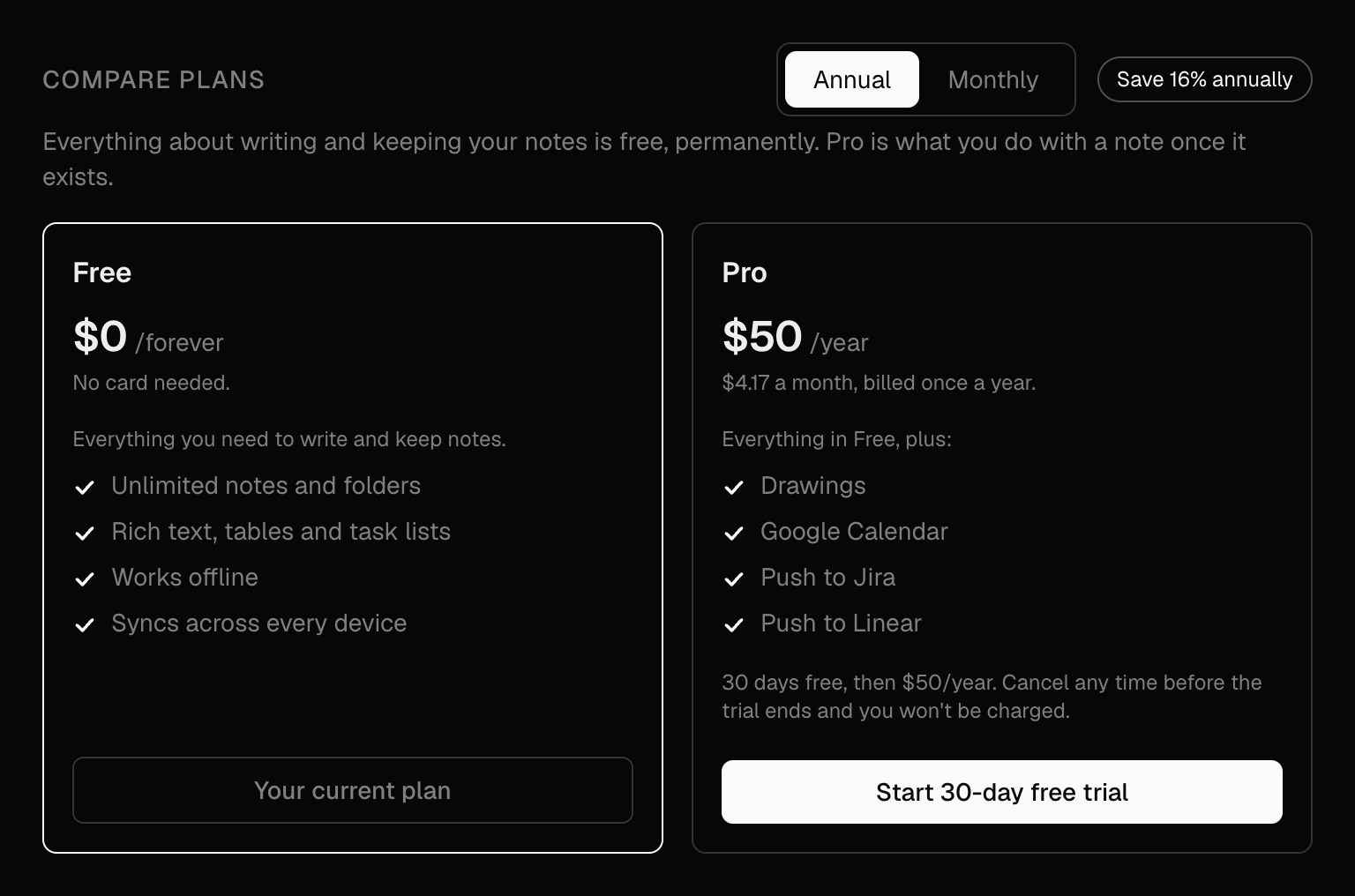
- Under Compare plans, Free and Pro sit side by side. The plan you are on says Your current plan at the bottom of its card.
- Use the Annual | Monthly switch to see the price: $50 a year (about $4.17 a month, billed once a year) or $5 a month. Paying yearly saves 16%.
- Press Start 30-day free trial on the Pro card. Checkout opens in a window over the page; enter a card and press Start trial. You are not charged until the 30 days end, and not at all if you cancel before then.
Example
Trying it before you commit
Start the 30-day trial, push a week's worth of meeting actions to Linear, and decide before the trial ends. Cancel and nothing is charged.
Good to know
- Writing and keeping your notes is free on every plan, permanently: unlimited notes and folders, offline editing, sync across devices, tags, search, sharing and Markdown export.
- Right after you start the trial, Billing says Thanks. Setting up your subscription… for a second or two, then the Pro card becomes Your current plan. It resolves on its own.
- During the trial, the top of Billing says when it ends: Free trial until a date, which is when your first payment is taken. Cancel before then in Manage subscription and you are not charged.
- The free trial is one per person. If you have subscribed before, the Pro button says Upgrade to Pro and Checkout charges straight away.
- Prices are in US dollars. Checkout may show the amount in your own currency.
- Closing the Checkout window (Escape or ×) cancels nothing and charges nothing. A click outside it does not close it, so a half-typed card is not lost.